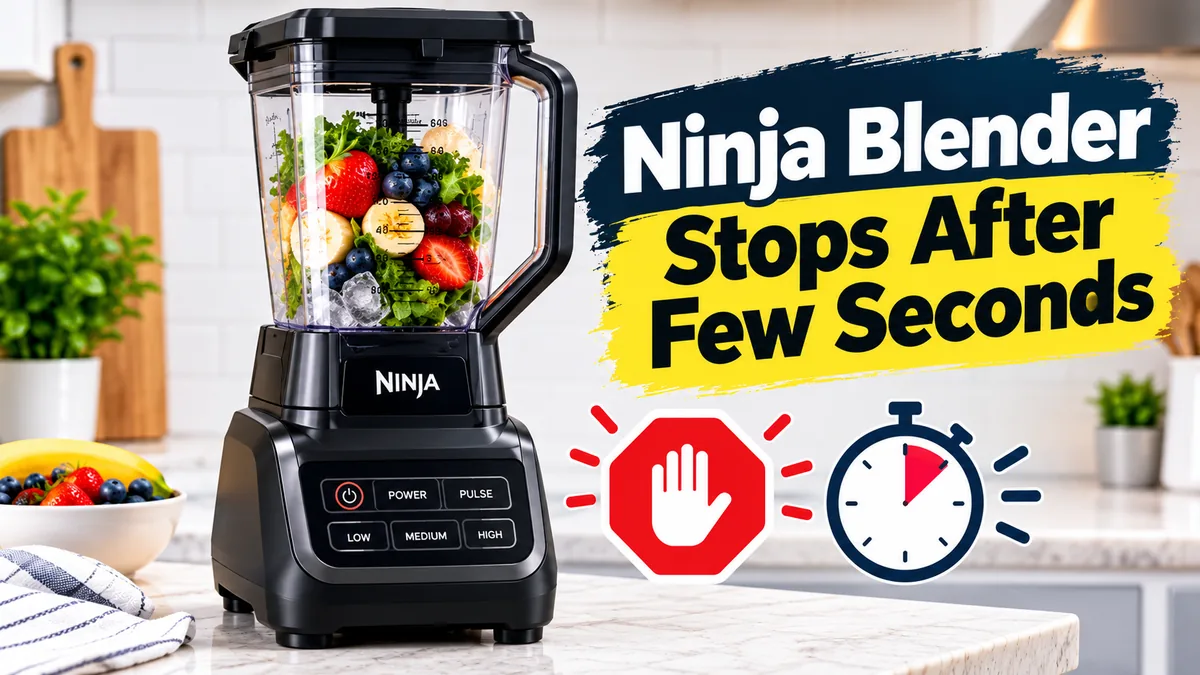

Ninja Blender Stops After Few Seconds? Many owners of Ninja blenders encounter this problem frequently. The blender can start up normally, run for two to ten seconds, and then abruptly stop.
Overheating protection, an improper assembly, a locked motor system, power problems, or a damaged component are the most common causes of this issue. Fortunately, you don’t need to replace your blender in order to address many of the issues at home.
We’ll go over why your Ninja Blender stops working after a few seconds in this post, along with a step-by-step solution.
Why Does My Ninja Blender Stop After a Few Seconds?
A Ninja Blender can stop shortly after starting due to:
- Overheating motor protection
- Blender cup or lid not locked correctly
- Too much food inside the jar
- Dull or blocked blades
- Power supply problems
- Motor base issues
- Incorrect blade assembly
- Electrical faults
- Damaged internal components
Let’s look at each problem and solution.
1. Ninja Blender Motor Is Overheating
One of the most common reasons a Ninja Blender stops after a few seconds is overheating.
Ninja blenders have a built-in safety feature that automatically shuts the motor down when it becomes too hot. This prevents permanent motor damage.
Signs of overheating:
- Blender starts and stops quickly
- Motor base feels hot
- Burning smell
- Blender works again after cooling down
Fix:
- Turn off the blender.
- Unplug it from the power outlet.
- Remove the cup or pitcher.
- Wait 20–30 minutes for the motor to cool.
- Try blending again with a smaller load.
Avoid running your Ninja Blender continuously for long periods.
2. Blender Cup Is Not Properly Locked
Many Ninja models will stop automatically if the cup, lid, or blade assembly is not installed correctly.
The blender uses safety sensors to ensure everything is locked before running.
Fix:
- Remove the cup from the motor base.
- Check the locking tabs.
- Reattach the cup properly.
- Make sure you hear a click when it locks.
Also check whether the lid arrows and markings are aligned correctly.
3. You Are Overloading the Blender
Putting too many ingredients inside the blender can make the motor struggle and shut down.
Common examples:
- Too much frozen fruit
- Large ice cubes
- Thick mixtures
- Very little liquid
Fix:
Try this:
- Remove some ingredients.
- Add more liquid.
- Cut large pieces into smaller chunks.
- Blend in smaller batches.
A blender works best when ingredients can move freely around the blades.
4. Blades Are Blocked or Jammed
If the blades cannot rotate freely, the motor may stop within seconds.
This usually happens when:
- Food is stuck under the blades
- Thick ingredients block movement
- The blade assembly is dirty
Fix:
- Remove the container.
- Empty the ingredients.
- Clean around the blades.
- Check if the blades spin freely.
Never put your hand near sharp blades while checking.
5. Ninja Blender Is Experiencing Power Problems
Sometimes the blender itself is fine, but an unstable power supply causes it to stop.
Possible causes:
- Loose electrical socket
- Damaged power cord
- Voltage fluctuations
- Extension cable problems
Fix:
Try:
- Plugging directly into a wall outlet.
- Testing another socket.
- Avoiding low-quality extension boards.
6. The Ninja Blender Needs a Reset
Some Ninja models need a reset after overheating or motor protection activation.
How to reset:
- Unplug the blender.
- Leave it disconnected for 15–30 minutes.
- Remove the container.
- Plug it back in.
- Try a short blending cycle.
This can clear temporary safety shutdowns.
7. Wrong Blade Assembly or Damaged Blade Unit
A loose or incorrectly installed blade assembly can cause your Ninja Blender to stop.
Check:
- Blade attachment is tight
- Rubber gasket is correctly placed
- No cracks around the blade housing
If the blade unit is damaged, replacement may be required.
8. Motor Base Has a Problem
If your Ninja Blender stops even when empty, the issue may be inside the motor base.
Possible problems:
- Worn motor brushes
- Faulty sensor
- Damaged control board
- Internal wiring issue
Test:
Run the blender with an empty cup (without ingredients).
If it still stops after a few seconds, the motor base may need repair.
9. The Blender Is Running Too Long Without Breaks
Even powerful Ninja blenders need cooling time.
Continuous operation can activate thermal protection.
Recommended usage:
- Blend for short intervals.
- Pause between cycles.
- Avoid long blending sessions with thick mixtures.
Quick Troubleshooting Checklist
| Problem | Solution |
|---|---|
| Stops after 5 seconds | Let motor cool |
| Stops with frozen food | Reduce ingredients |
| Starts but shuts down | Check cup locking |
| Makes noise but stops | Check blades |
| Stops when empty | Possible motor issue |
| No power after stopping | Reset blender |
When Should You Replace Your Ninja Blender?
Consider repair or replacement if:
- Motor smells burnt
- Blender stops even after cooling
- Motor makes unusual sounds
- Blade assembly is damaged
- Electrical components fail
If your Ninja Blender is still under warranty, contact Ninja customer support before opening the motor base.
Frequently Asked Questions
Usually because of overheating, overloading, incorrect assembly, or a safety sensor issue.
Ice can overload the motor, especially if there is not enough liquid. Add liquid and blend smaller amounts.
Wait around 20–30 minutes before using it again.
If it stops without ingredients, the motor base, sensor, or electrical system may have a problem.
Final Thoughts
If your Ninja Blender stops working after a few seconds, it’s probably because it’s too hot, too full, or wasn’t put together right. First, do simple repairs like letting the machine cool down, checking the cup lock, and cutting down on the ingredients.
If the blender keeps turning off even after trying these fixes, the issue might be with the motor base or the electronics inside.







1 comment