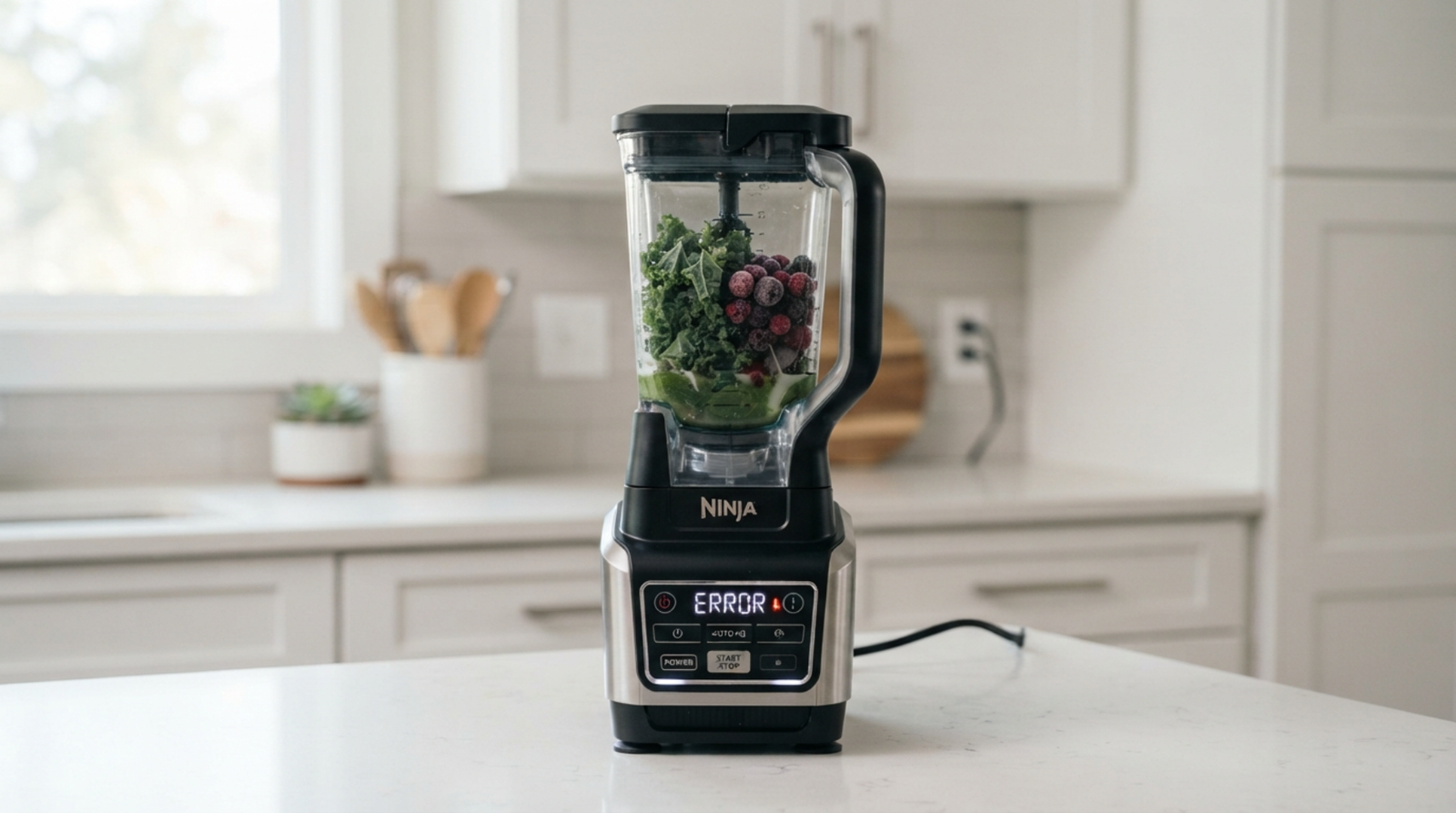
Ninja Blender Says Error: How To Fix
ninja blender gives you an error message, especially if it stops working in the middle of blending. The good news is that most Ninja blender errors are caused by easy problems like wrong assembly, overheating, too many ingredients, or a blade system that is blocked.
Try these steps to fix your blender before you buy a new one.
Ninja blenders have safety features that stop the motor from running if the container, lid, or blade assembly is not there.
Quick Fixes When Your Ninja Blender Shows Error
Try these solutions first:
✅ Turn the blender off
✅ Unplug it for 5–15 minutes
✅ Remove and reinstall the pitcher/cup
✅ Check that the lid is locked properly
✅ Reduce the amount of ingredients
✅ Clean around the container locking area
✅ Allow the motor to cool down
If the error remains, continue with the fixes below.
1. Check If the Blender Jar Is Installed Correctly
One of the most common reasons a Ninja blender displays an error is that the blender does not detect the container properly.
Your Ninja blender may show an error when:
- The pitcher is not locked
- The cup is not twisted completely into place
- The lid is not closed correctly
- The safety lock is not engaged
Fix:
- Remove the container from the motor base.
- Clean the bottom connection area.
- Place it back correctly.
- Rotate until it locks.
- Close the lid completely.
- Try starting again.
2. Reset Your Ninja Blender
Sometimes the error message is caused by a temporary electronic problem.
How To Reset:
- Turn off the blender.
- Remove the power plug.
- Wait 5–15 minutes.
- Plug it back in.
- Assemble the blender correctly.
- Select a blending mode.
A reset can clear temporary safety shutdowns.
3. The Blender Is Overheated
If you were blending:
- Ice
- Frozen fruit
- Thick smoothies
- Nut butter
- Large batches
the motor may become too hot.
Ninja blenders include overload protection that can stop operation until the unit cools down.
Signs of overheating:
- Error appears suddenly
- Blender stopped while running
- Motor base feels warm
- Buttons do not respond
Solution:
- Unplug the blender.
- Leave it unused for 20–30 minutes.
- Try blending again with a smaller amount.
4. Remove Excess Ingredients
Overfilling the blender can trigger an error because the motor cannot handle the load.
Common causes:
- Too many frozen ingredients
- Not enough liquid
- Thick mixtures
- Ingredients packed tightly around blades
Fix:
Remove some ingredients and add more liquid.
For smoothies:
Add liquid first → soft ingredients → frozen ingredients last
5. Check for Jammed Blades
A blocked blade assembly can cause your Ninja blender to display an error.
Possible causes:
- Ice cubes stuck around blades
- Frozen fruit chunks
- Nuts or seeds blocking movement
- Thick food buildup
Fix:
- Turn off and unplug the blender.
- Remove the container.
- Empty ingredients.
- Clean around the blades.
- Try again.
Never put your hand near the blades while the blender is connected to power.
6. Clean the Contact Points
Sometimes the blender cannot recognize the container because food residue blocks the connection points.
Check:
- Bottom of the pitcher
- Motor base connection area
- Locking tabs
- Lid sensor area
Clean using:
- Soft cloth
- Dry towel
- Small brush
Avoid pouring water directly onto the motor base.
7. Check for a Damaged Blade Assembly
If your Ninja blender still shows an error after resetting, inspect the blade assembly.
Possible problems:
- Loose blade shaft
- Cracked blade housing
- Damaged drive connection
- Worn plastic gears
A damaged blade connection can prevent the motor from transferring power to the blades.
8. Check the Power Supply
Sometimes the error is related to unstable power.
Try:
- Different wall outlet
- Checking the power cord
- Avoiding extension cords
- Testing another appliance in the same outlet
If there are no lights or sounds, the problem may be electrical rather than mechanical.
9. Update or Check Model-Specific Error Codes
Different Ninja models may display different messages, including:
- Error
- E1
- E2
- Jar
- Lid
- Power flashing
Always check your specific model manual because the meaning of error codes can vary between Ninja blender models.
Ninja Blender Error E1: How To Fix
If your Ninja blender shows E1 error, it commonly indicates a problem with:
- Container detection
- Lid connection
- Safety sensor
- Internal communication issue
Try:
- Remove the jar.
- Reinstall it correctly.
- Make sure the lid is locked.
- Reset the blender.
- Test again.
Ninja Blender Error E2: How To Fix
An E2 error may appear when the blender detects a problem with operation.
Possible causes:
- Overheating
- Jammed blades
- Overloaded ingredients
- Sensor issue
Try:
- Removing some ingredients
- Cooling the blender
- Checking the blade assembly
- Resetting the unit
When Your Ninja Blender Needs Repair
You may need professional repair if:
- Error appears every time you start it
- The container is correctly installed
- Reset does not work
- Motor makes unusual sounds
- Burning smell appears
- Control panel does not respond
If your blender is still under warranty, contacting Ninja support is usually the safest option.
Ninja Blender Says Error: Frequently Asked Questions
Usually because the blender cannot detect the container, the motor is overheated, ingredients are overloaded, or the blade assembly is blocked.
Unplug the blender for several minutes, reconnect it, and reinstall the container and lid correctly.
Flashing lights usually indicate a safety lock problem, overheating, or incorrect assembly.
Yes. Many errors are solved by resetting, cleaning, correcting assembly, or reducing the ingredient load.
Final Thoughts
Don’t think your Ninja blender is broken just because it says “error.” First, do the easy things: make sure the jar and lid are in the right place, restart the machine, take out any extra ingredients, and let the motor cool down.
Most problems with Ninja blenders are caused by safety features that are meant to keep the motor and user safe.



2 comments